Workspace

Experience Multi-User Collaboration for Reality Capture

Cintoo Workspace enables real-time collaboration inside reality capture data, transforming scan-based digital twins into shared operational workspaces. 

cintoo

Share Your Space, Not Your Screen

Cintoo Workspace transforms reality capture into a shared collaborative environment where distributed teams can review, navigate, and make decisions together inside high-fidelity digital twins. Instead of relying on screenshots, disconnected reviews, or screen-sharing, stakeholders collaborate directly within synchronized 3D reality data, aligning around existing conditions in real time.

Teams can explore facilities through desktop or immersive workflows, inspect issues in spatial context, and communicate more clearly across engineering, construction, operations, and maintenance. Reality data becomes shared understanding, reducing ambiguity, accelerating project reviews, minimizing unnecessary site visits, and enabling faster, more confident decisions across every stage of a project.

Experience real-time collaboration inside reality.

Cintoo Workspace Multiuser
head_mounted_device

Bring Your Reality Data into Immersive Rooms

Cintoo takes an open, flexible approach to XR across the Industrial Metaverse. Our Streaming SDK and the Cintoo VR Experience are built to work with a wide range of virtual reality displays, so you are never tied to a single device or vendor. This includes our integration with Igloo, a market leader in room-scale immersive environments.

With Igloo, teams step into their scan data together, viewing high-fidelity spaces in full scale without relying on individual head-mounted displays. Standing side by side, colleagues can walk through captured environments, discuss conditions, and make confident decisions informed by shared visual context.

Cintoo Workspace Igloo
cintoo

Best-In-Class Reality Capture Collaboration

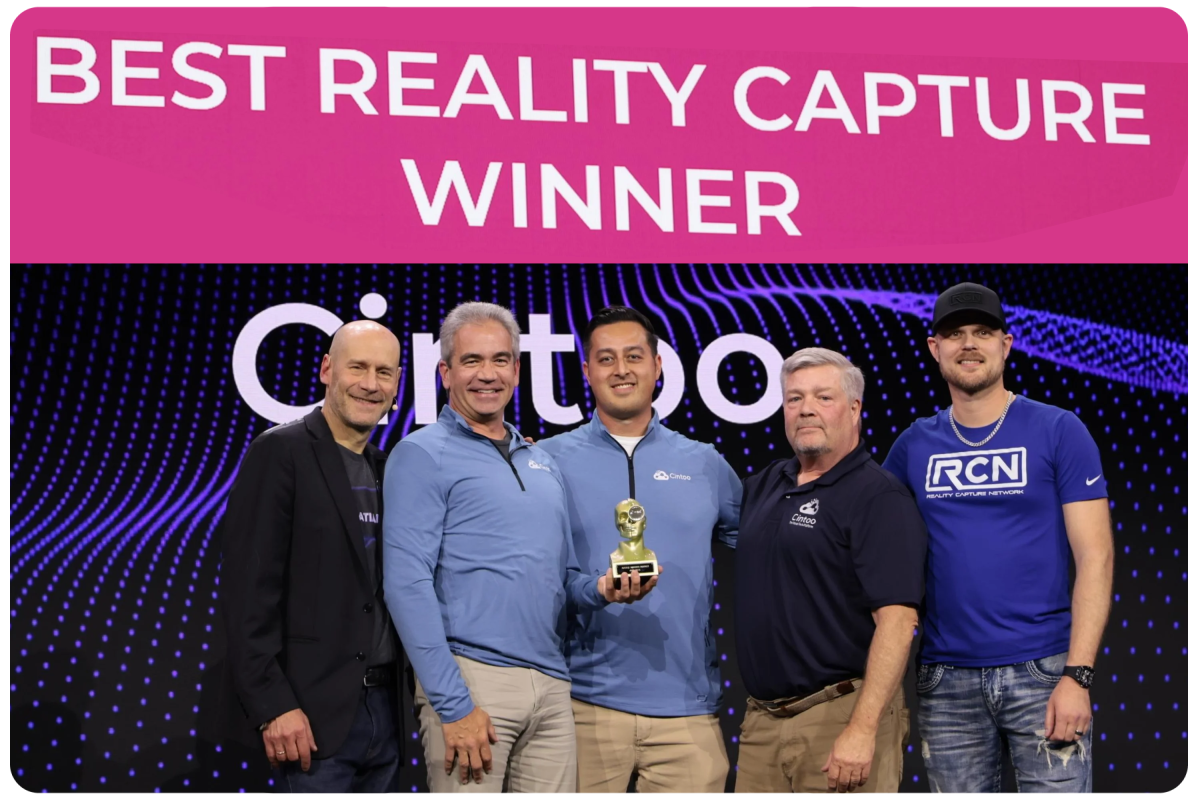
Cintoo Workspace is redefining how teams collaborate around reality capture data, earning industry recognition for its high-fidelity streaming technology and immersive collaboration workflows. Following Cintoo’s AWE Auggie Award win for Best Reality Capture Solution, the company introduced Workspace as the next evolution of collaborative digital twins.

Industry publications including Auganix and The XR Beat have highlighted how Cintoo Workspace helps engineering, construction, manufacturing, and operations teams collaborate more effectively across desktop, immersive rooms, and XR devices. From identifying installation and maintenance challenges earlier to reducing unnecessary travel and rework, Workspace brings stakeholders into the same full-scale environment.

Cintoo Workspace Award Winners

Experience Cintoo Workspace Today!

Cintoo Workspace is designed for organizations looking to move beyond static visualization and toward true collaborative reality capture workflows.

Download Cintoo Workspace below and collaborate in real-time through your 3D scan data.

FAQ

What do Cintoo Workspace cost to use?

chevron_down

Cintoo Workspace is free for a single user, and free for anyone invited to participate in real-time collaborative meetings.

To host real-time, collaborative meetings using Cintoo Workspace, there is an additional subscription fee. Contact sales for more information.

Additionally, the Cintoo Streaming SDK and plugins for Unreal and Unity are freely available for your custom development needs.


What kind of display devices does Cintoo Workspace support?

chevron_down

Cintoo Workspace is a desktop app that runs on most modern desktop and laptop computers.

Further, as a PCVR app, Cintoo Workspace supports tethered displays, including:

  • Meta Quest headsets
  • HTC Vive headsets
  • Pico headsets
  • other SteamVR-compatible devices.

Additionally, we support Igloo immersive rooms. Contact sales for more information about using Cintoo Workspace on an Igloo device.

What kind of hardware do I need to run Cintoo Workspace?

chevron_down

We recommend you use a Windows PC with the following specs:

High-Performance (GPU):

NVIDIA GeForce RTX 4080/5080 series or AMD Radeon RX 7600 series to support detailed VR rendering

8GB of GPU memory is recommended

Processor (CPU):

An Intel i7/i9 or AMD Ryzen 7/9

8-core or higher is recommended for handling VR processes efficiently

Memory (RAM):

16 GB of RAM for smooth multitasking and managing large VR environments

Internet Connection Bandwidth:

Download: 10 Mbps (megabits per second) or higher

Upload: 1 Mbps or higher

Additionally, if you wish to use immersive VR, a USB sync cable is recommended to connect your headset to your PC.


What practical data limitations do you recommend for a smooth immersive experience?

chevron_down
  • File size: no limit
  • Scans: 10,000
  • Tag limits: 1000
  • Triangle/polygon count: 1,000,000,000
  • Model elements: 50,000
  • Geographic range/limit: no limit

Does Cintoo Workspace support offline usage?

chevron_down

No, currently Cintoo Workspace can only be used while online, and connected to your Cintoo account.  

Create Synergy Across Your Workflows

bottom-banner-wide